I started TerminalShot with a simple idea: make typing Linux commands feel like firing a spaceship’s weapons. It has already changed quite a bit, from a spare neon playfield to an illustrated, music-driven shooter. Now I’m exploring what happens when that ship has somewhere to fly.
It started with falling commands
I called the first version Terminal Invaders. The basic loop was deliberately direct: commands descend towards you, you start typing one to acquire a target, and completing it destroys the target. Spaces, flags, paths and punctuation all become part of the fight. These are game targets; nothing you type is executed in a shell.
That early screen was mostly neon shapes, readable text and a small ship at the bottom. The important thing was the connection between a keypress and something happening on screen. Even at that stage, the original electronic score was part of the idea. I wanted terminal practice to have the pressure and payoff of an arcade game.
A small ship, neon enemies and falling commands. At this point, the typing targets carry almost the whole scene.
The 2D game grew around the music
From there, the game grew in several directions at once. Formations became more varied, bosses gained their own patterns, and the modes started giving the same keyboard different jobs. In Pulse, for example, completed commands can wait for a musical downbeat before a salvo is released. Flow gives you more breathing room.
Campaign routes, ship builds, expeditions and daily challenges followed. The current 2D build has eleven modes and a catalogue of 2,000 commands. I also changed the name to Terminal Shot, or TSHOT. Underneath the expanding menus and effects, the useful test stayed the same: can I read the next target, type it, and feel the result land with the music?
The 2D game on 16 October. The environments and combat had become much more elaborate than the first neon screen.
Finding a look worth keeping
The later art direction gave the game a much stronger identity: illustrated ships, industrial structures, hot machinery and cool engine light. GPT-generated artwork became part of that direction, including the white Vector ship. The next challenge was making those images behave convincingly inside a moving game.
There were already experiments with depth inside the 2D renderer: scenery scaling towards the camera, passing traffic, boost streaks and foreground layers that could hide objects behind them. Those changes gave the scene forward motion while it was still built from flat artwork.
The latest 2D build adds smooth banking, attached engine exhaust, firing, boost, damage and destruction around that artwork. It is still a painted ship in SpriteKit. This is the look I want to keep as I move into 3D: the silhouette, the markings, the colours and the clarity of the action.
The latest 2D build during a Foundry boss fight. The painted hull banks as a whole in SpriteKit. Edited from an automated gameplay run.
Download WebM ↗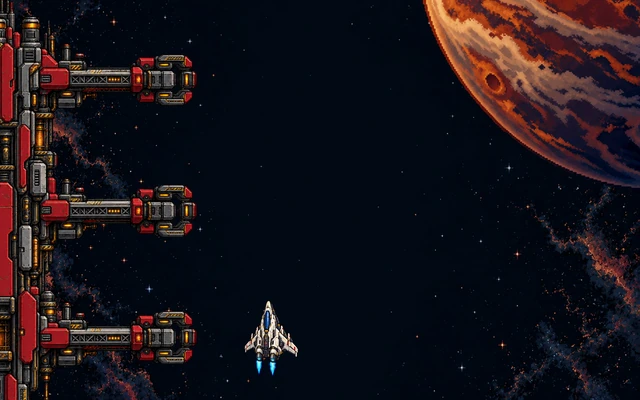
Trying out banking and engine exhaust in a separate 2D test scene, keeping the ship’s original drawing.
Download GIF ↗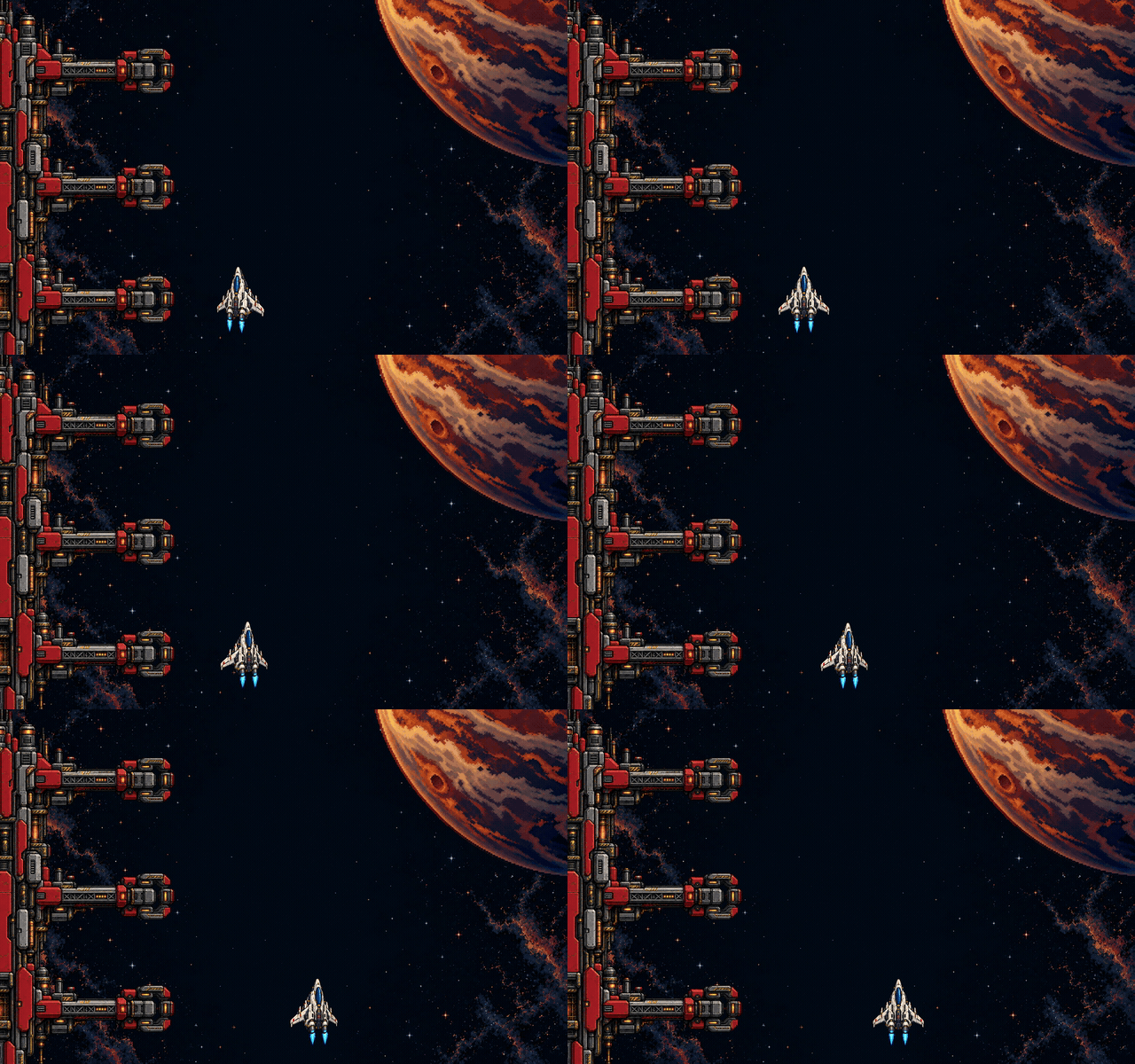
A useful detour through the wrong look
One of the first things I tried was rendering Blender models into small, palette-limited sprites, then playing them back in SpriteKit. That gave me a repeatable way to produce consistent poses and animation frames.
It worked, but I didn’t like the look as much. I preferred the existing GPT artwork, so I dropped that direction and went back to the ships I wanted to keep. Getting them moving was useful; replacing their design wasn’t.
That experiment used 3D as an asset-making tool. Its output was still a 2D test scene. The next experiment asked a different question: what would it feel like to actually fly through a scene with depth?
Blender models rendered into sprites and played back in a 2D scene. I dropped this look in favour of the original artwork.
Download WebM ↗The first flight with real depth
For the next experiment, I moved into a separate Godot prototype: a chase camera behind a ship with actual volume, flying through station structures, past targets and into open space. Banking, boost, converging lasers and a full barrel roll let me see how the design holds up in motion.
The ship keeps the original top artwork as a texture over modeled geometry. The fuselage, cockpit, engine nozzles and underside give it thickness; the hidden surfaces are new interpretations of a design that began as an image. That is why the roll matters: you can see the sides and underside, and judge whether it still feels like the same ship.
I’m using this prototype to work out how the flight and perspective should feel. It has its own controls; I haven’t brought TerminalShot’s typing combat, modes or musical rules into it. The station structures are just scenery for now.
Native Godot development capture, showing flight, target hits, boost and a barrel roll. Recorded with fixed simulation steps; the clip is not a real-time performance benchmark.
Download WebM ↗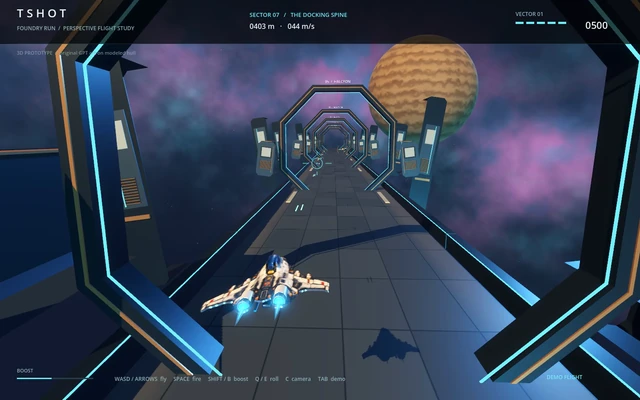
A barrel roll exposes the sides and underside. The original top design now has to work from several angles.
Download GIF ↗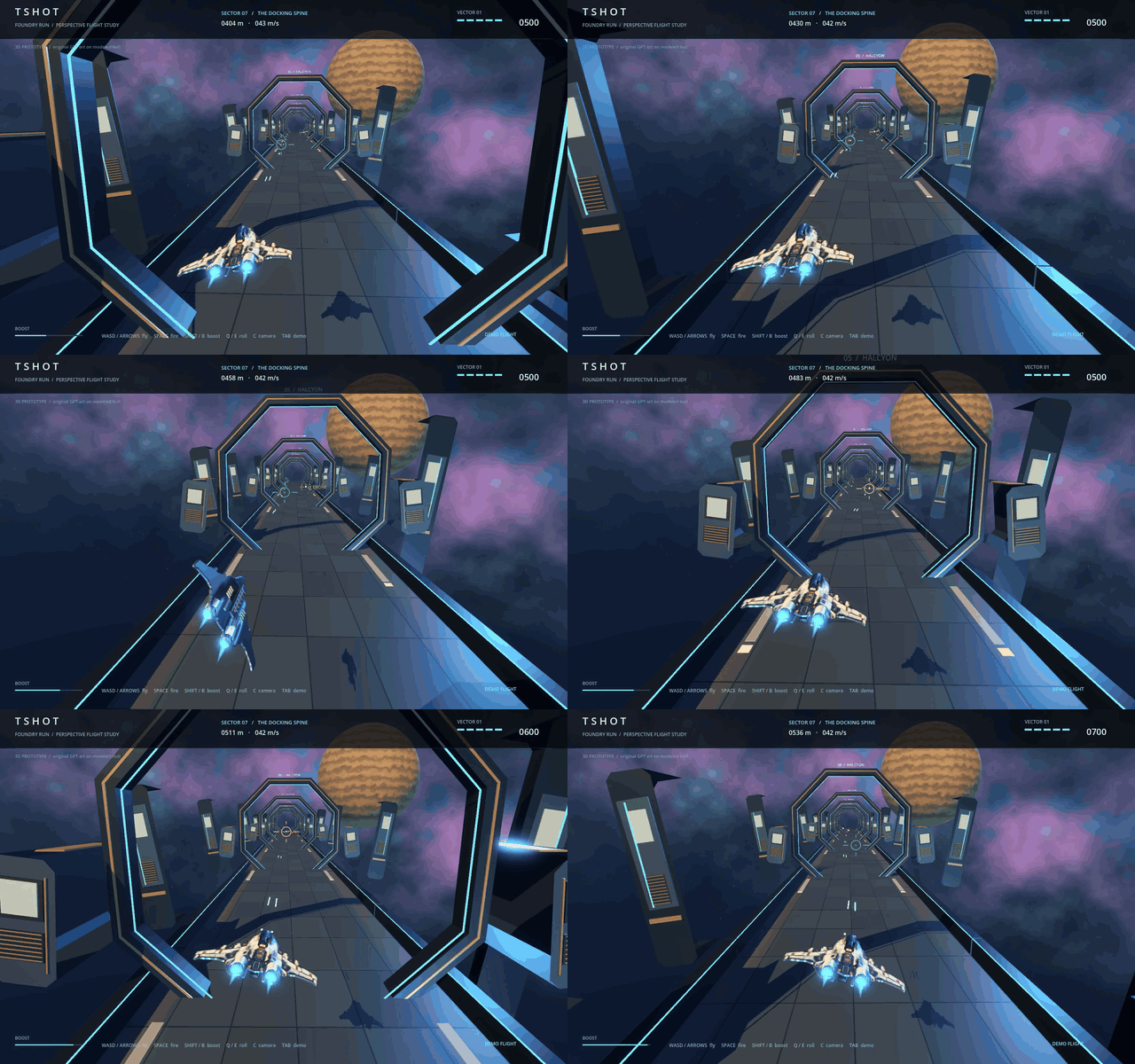
Bringing the existing game into 3D
I’m now working on a native 3D renderer inside the existing Swift app. The flight prototype helped me explore depth, but bringing the whole game across means keeping the typing combat, all eleven modes, the command catalogue, progression, saves, replays and the original audio timing.
That also means keeping the controls true to TerminalShot. A conventional flight demo can use movement keys; this game needs those keys for commands. The camera, ship motion and enemy staging have to support the act of reading and typing.
I’m starting the conversion in a separate development app with its own storage, so I can keep the 2D version alongside it. First, I want the Vector ship in the new renderer with the existing game rules and target positions intact. There is still a lot to work out: framing, lighting, readability and how it runs.
I want the extra dimension to make the game feel more physical without losing that original little loop: see a command, type it, hear the shot.